
Deck Workspace
Mage Coach keeps track of where you are in the process of building a deck, keeps the deck guidance nearby, and lets you move from play to debrief without losing the thread.

Mage Coach 2 for Windows
Mage Coach reads completed Arena logs on your PC, organizes the evidence, and helps you discuss games, decks, and decisions with the AI of your choice.
Post-game only. No Arena credentials. No in-game overlay. No live play or draft advice.
Your data. Your AI. Your choice.

The match is over. Let the conversation begin.
Arena can only tell you that you won or lost. It cannot tell you whether a decision was good or bad, what was fueling your opponent’s engine, or what the turning point of the game was.
Mage Coach turns the Arena game log into organized evidence. Add what you remember, then invite the AI of your choice to the conversation. Discuss the outcome, share a particularly poetic victory, an epic turn, or a frustrating match. Save the conclusions and what you learned for your next opponent.
How Mage Coach works
No crystal ball. No shoulder devil whispering during combat. Just a deliberate post-game workflow.
Give Mage Coach the details of what kind of deck you want to build.
You’re on your own here. Mage Coach doesn’t provide live assistance.
Select the matches and Player Notes that belong in this review.
Share the results, add your recollections, and discuss the conclusions.
Get the JSON from your AI that has the Deck Guide, sideboard recommendations, and any deck changes.
Keep coaching, game history, and deck revisions as you improve.
Built around the decks you are actually playing
From the cards you own to the lessons you learn, Mage Coach connects all the dots.
Mage Coach keeps track of where you are in the process of building a deck, keeps the deck guidance nearby, and lets you move from play to debrief without losing the thread.
Carry the game plan, sideboard recommendations, and what to watch out for into your matches.
The game plan explains how the deck works, what it wants, and which questions to ask after the match.
Make note of what you intended, remembered, or suspected to provide your perspective to the AI for the coaching session.
Track how a decklist changes without quietly rewriting the history of games played by an earlier version.
Mage Coach recognizes when Arena’s deck differs from the saved list, then reconciles and saves the version that actually played.
Choose any tracked deck and one game, a full match, or several games. Mage Coach packages the evidence for a focused coaching session with your AI.
Mage Coach parses the game log while you play for faster results when you are ready for more coaching.
Find out what decks you can build with whatever amount of wildcards you are willing to spend.
Inside Mage Coach
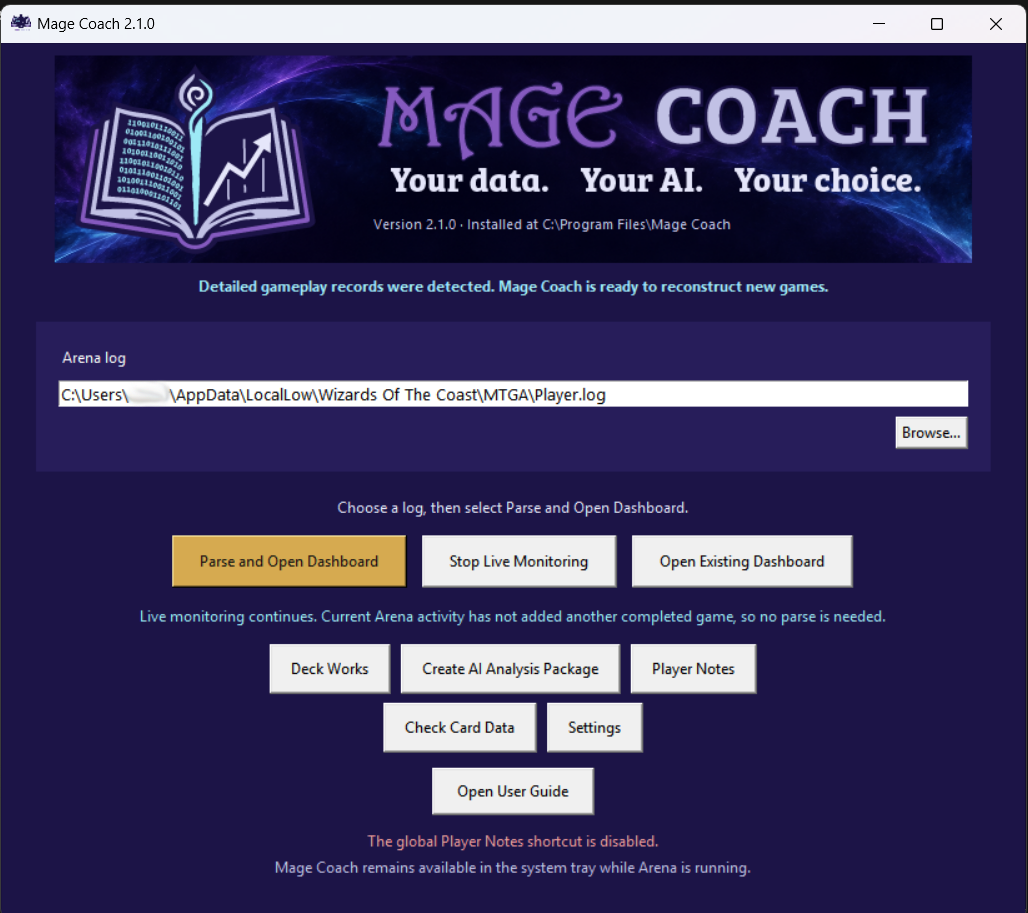
Open Mage Coach to start Live Monitoring, build and track your decks, package match results for AI discussions, create Player Notes, and view deck statistics.
One complete edition
Lifetime and Monthly include the same complete product. These are payment choices, not feature tiers.
Questions before you click the shiny button
No. Mage Coach is for post-game review and deck development. It provides no live move recommendations, in-game overlay, or Arena automation.
No. It reads locally available completed-game logs and does not ask for your Arena credentials.
No. You choose a compatible external AI and remain responsible for that provider’s account, terms, privacy practices, availability, and possible charges.
The features are the same. Lifetime is US$75 once for permanent Mage Coach 2.x rights and released 2.x updates. Monthly is US$10 per month for every current or future Mage Coach version while subscribed, and it renews until cancelled. Monthly payments do not count toward Lifetime.
Not automatically. Packages and exports are created locally. You decide whether to share them and where they go. A folder you synchronize with another service still follows that service’s settings.
A Windows computer, MTG Arena with its detailed game logs available, and an internet connection for initial activation. The purchase includes both Installed and Portable formats.
Start with the User Guide, review Support, or read the full license, privacy, and refund policies.